What a Century-Old War Photograph Teaches Us About Creating Emotionally Powerful Images

What a Century-Old War Photograph Teaches Us About Creating Emotionally Powerful Images

The Timeless Power of Raw Emotion I recently stumbled upon a photograph from the Battle of the Somme—1916, to be precise. It captures British soldiers in the moments before launching a trench raid, and I’ll be honest: it shook me. Nearly 110 years later, and this image still packs an undeniable emotional punch that’s got me thinking deeply about what makes photography actually work. This got me reflecting on something I see constantly in my work reviewing Photoshop actions and presets: creators obsess endlessly over technical perfection.

How I Evaluate Photoshop Plugins: What Actually Matters in a Review

How I Evaluate Photoshop Plugins: What Actually Matters in a Review

How I Evaluate Photoshop Plugins: What Actually Matters in a Review I’ve installed hundreds of Photoshop plugins and actions over the years. Some transform my entire workflow. Others gather dust in a forgotten folder. The difference isn’t always obvious from marketing copy alone, so I’ve developed a system for testing tools that actually reveals whether something’s worth your time and money. Beyond the Feature List When a plugin lands in my inbox, I resist the urge to scan the feature list first.

Automating Your Photoshop Workflow: Scripts, Actions, and Smart Batching

Automating Your Photoshop Workflow: Scripts, Actions, and Smart Batching

Automating Your Photoshop Workflow: Scripts, Actions, and Smart Batching I’ve spent the last five years watching designers waste genuinely shocking amounts of time on repetitive tasks. Resizing batches of images. Adding watermarks. Flattening and exporting in multiple formats. The worst part? Most of them didn’t realize that Photoshop has built-in automation tools sitting right there in the menu. Let me be honest: I get unreasonably excited about workflow optimization. There’s something satisfying about watching a process that used to take an hour happen in 90 seconds.

Photoshop Actions: Building Your First Automation Library

Photoshop Actions: Building Your First Automation Library

Photoshop Actions: Building Your First Automation Library I’ve watched countless photographers and designers download massive action packs, use them once, then abandon them because they don’t fit their actual workflow. The problem isn’t the actions themselves—it’s that most people approach automation backward. They try to fit their work into pre-built tools instead of building tools around their work. Let me show you how to do this right. Why Most Actions Fail (And How to Avoid It) Here’s the honest truth: generic action packs fail because they make assumptions about your setup.

Master the Double Exposure Effect in Photoshop: A Complete Breakdown of Aaron Nace's Essential Technique

Master the Double Exposure Effect in Photoshop: A Complete Breakdown of Aaron Nace's Essential Technique

I’ve always found the double exposure effect to be one of those techniques that looks incredibly complex but is surprisingly straightforward once you understand the core principle. In this excellent tutorial, Aaron Nace (PHLEARN) demonstrates exactly how to nail this effect in just two minutes—and today, I’m breaking down every step so you can master it yourself. What Makes a Double Exposure Work? Before jumping into the technical steps, let’s talk about why this effect works at all.

What GoPro's New GP3 Processor Means for Action Camera Workflow Optimization

What GoPro's New GP3 Processor Means for Action Camera Workflow Optimization

What GoPro’s New GP3 Processor Means for Action Camera Workflow Optimization I’ve been following GoPro’s development cycle closely, and the company just dropped another teaser for their upcoming camera refresh. The new generation features the proprietary GP3 processor, and honestly? I’m genuinely excited about what this means for anyone working with action camera footage in post-production. The Hardware-to-Workflow Connection Here’s what most people miss when new camera hardware launches: it’s not just about what the camera can capture.

Droplets in Photoshop: Automating Your Entire Workflow

Droplets in Photoshop: Automating Your Entire Workflow

Droplets in Photoshop: Automating Your Entire Workflow I’ve always believed that the best creative work happens when you’re not wrestling with software mechanics. That’s exactly why I’m passionate about Photoshop droplets—they’re one of the most underutilized features for eliminating tedious, repetitive tasks. If you’re not familiar with droplets yet, here’s the core concept: a droplet is a standalone application that automatically runs a Photoshop action on any image you drag onto it.

When April Fools' Goes Permanent: Lessons in User Engagement From Game Design

When April Fools' Goes Permanent: Lessons in User Engagement From Game Design

I’ve been thinking a lot lately about what makes certain features stick around versus which ones fade into obscurity. So when I heard that Look Outside—an indie game that tasks players with surviving a cursed apartment building—decided to permanently keep their April Fools’ Day “smooch mode” feature, it got me reflecting on some broader principles about tool design that apply directly to how we build Photoshop actions and presets. The Feature Nobody Asked For (But Everyone Wanted) Here’s what happened: the developer released an update on April 1st that fundamentally changed how players interact with NPCs.

Mastering Export Workflows: How to Save and Share Your Photoshop Actions Like a Pro

Mastering Export Workflows: How to Save and Share Your Photoshop Actions Like a Pro

Mastering Export Workflows: How to Save and Share Your Photoshop Actions Like a Pro I’ve spent countless hours building Photoshop actions, only to lose them during a software update or accidentally delete a folder I’d forgotten about. That’s when I realized: exporting and organizing your workflows isn’t optional—it’s essential. Whether you’re backing up your personal collection or sharing actions with clients and colleagues, understanding export workflows will save you time and frustration.

Automating Your Photoshop Workflow: Scripts That Actually Save Time

Automating Your Photoshop Workflow: Scripts That Actually Save Time

Automating Your Photoshop Workflow: Scripts That Actually Save Time I’ve spent thousands of hours in Photoshop, and I can tell you this with certainty: if you’re doing the same task more than twice, you should automate it. I learned this the hard way after manually resizing 200 product photos one afternoon. That’s when I invested real time into understanding Photoshop’s scripting capabilities—and honestly, it’s been a game-changer for my workflow.

What the Claude Code Leak Reveals About Automation's Future in Creative Tools

What the Claude Code Leak Reveals About Automation's Future in Creative Tools

The Incident That Got Everyone Talking Earlier this week, a significant security oversight exposed the inner workings of Claude Code’s latest update. While Anthropic quickly contained the situation, the leaked source code revealed something fascinating to those of us obsessed with workflow optimization: the company has been quietly developing some seriously ambitious automation features. The timing couldn’t be more interesting for the creative tech community. As someone who spends considerable time evaluating how different tools handle repetitive tasks, I found myself genuinely excited about what this accidental transparency revealed.

Master Non-Destructive Editing in Photoshop: A Professional Workflow Breakdown

Master Non-Destructive Editing in Photoshop: A Professional Workflow Breakdown

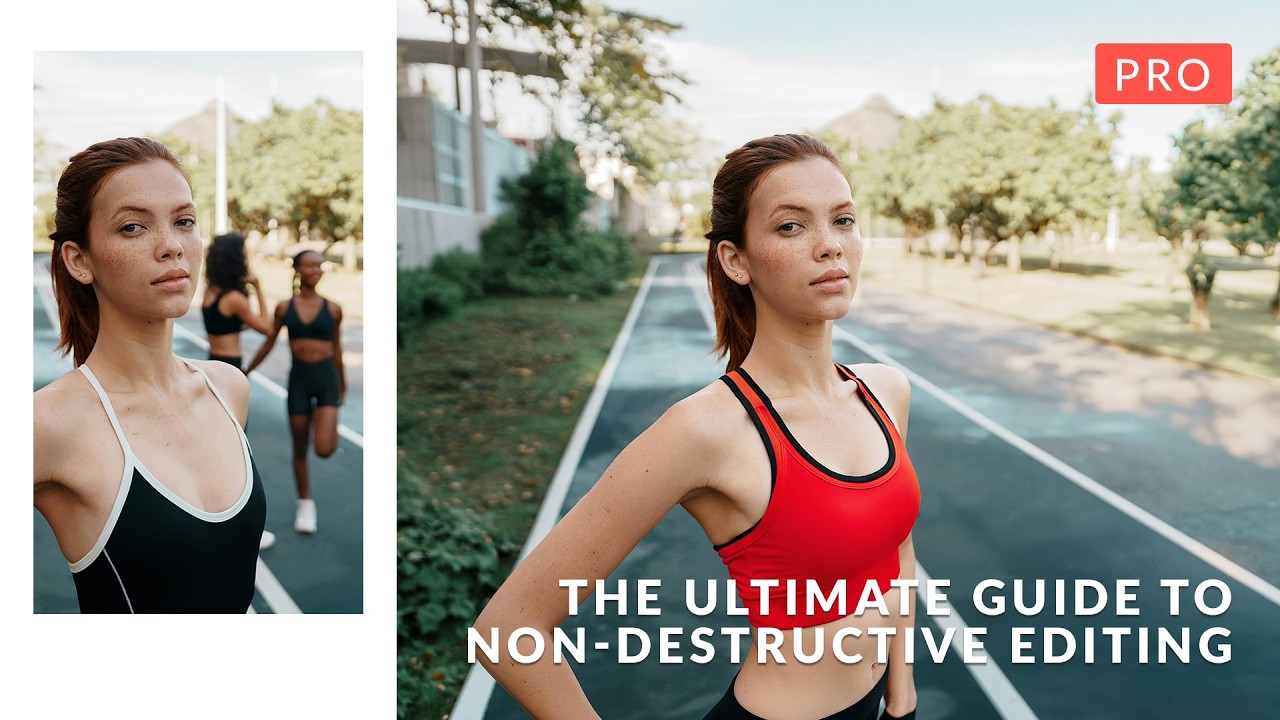
I’ll be honest: when I first started working in Photoshop, the fear of permanently destroying my work kept me from experimenting. One wrong flatten operation and hours of effort could vanish. That anxiety is exactly what In this excellent tutorial, Aaron Nace (PHLEARN) addresses head-on with “The Ultimate Guide to Non-Destructive Editing.” After diving deep into this course, I want to break down the key concepts and workflow strategies that transformed how I approach every Photoshop project.